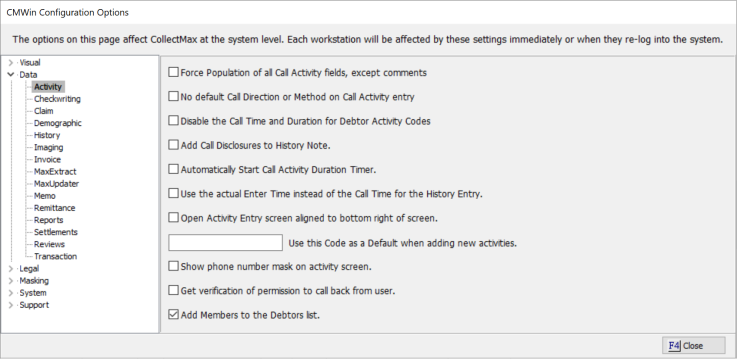
To cut down on manual typing, this feature will allow you to add an attached Account Member to be displayed in the Who called field of the Call Activity codes.
This is a Version 11 Feature. For information about the purchase of Version 11, please contact Sales.
To set the option, go to System and System Options and selected Data/Activity
Check the box next to Add Members to the Debtor List.
This option will not take effect for users, until they exit and come back into CollectMax.
On the Call Activity, the Who drop down list will now display all attached member to the account.
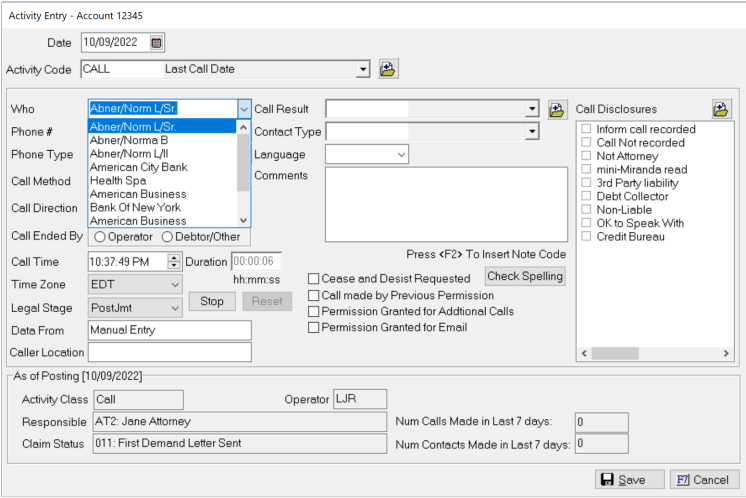
Once the Member is selected, the phone numbers will be displayed for the member in the Phone # field.